
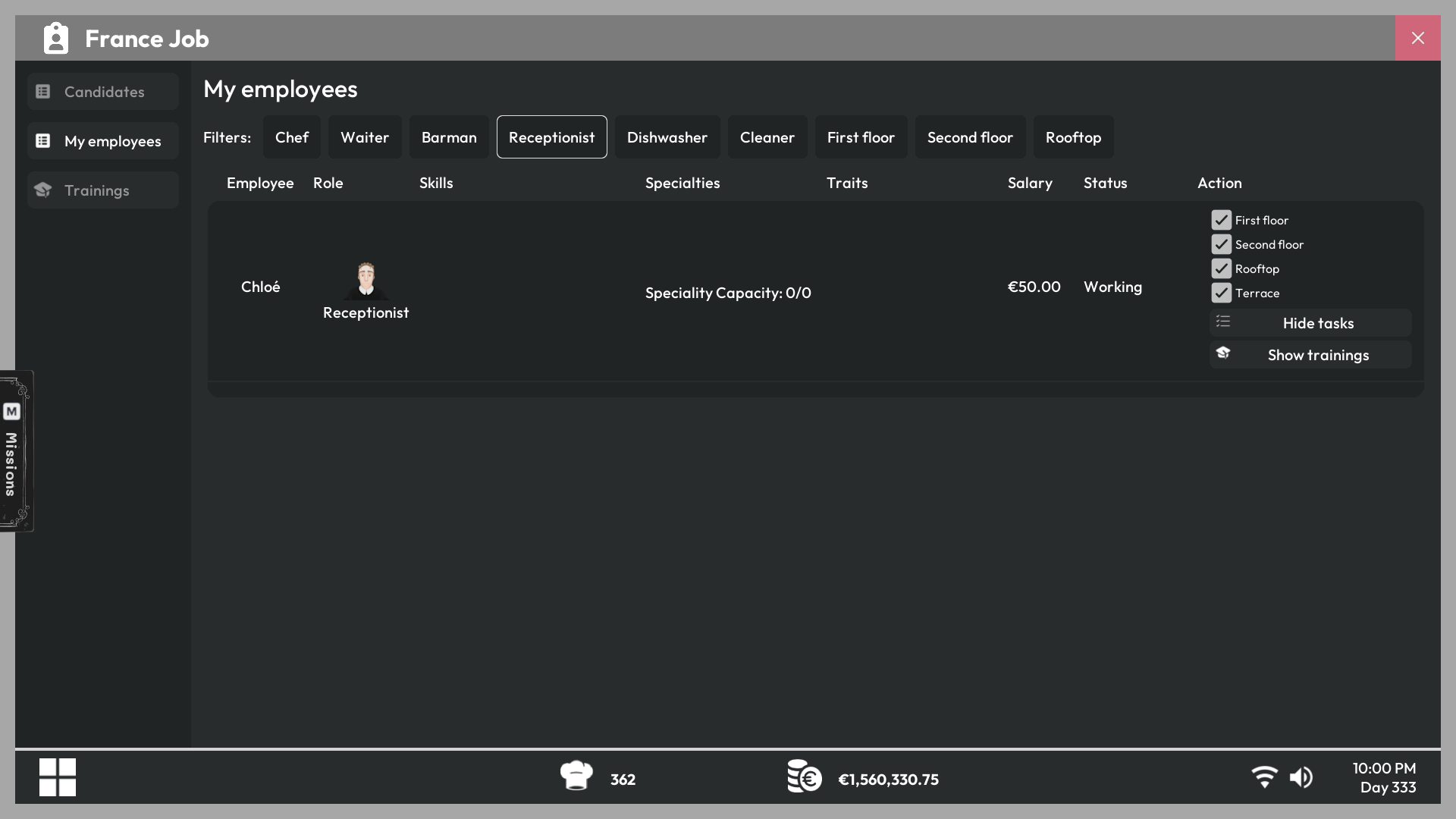
Floor restrictions control where receptionists can seat customers.
Open the receptionist settings
Go to the Employees app on your office PC, select a hired receptionist, and open their floor assignments.
Automatic seating
When a valid table is available, the receptionist assigns the waiting group and sends it to an available table on a specific floor. They ignore floors excluded from their settings and tables marked Player Only.
Enable or disable floors
Toggle each available floor according to your service plan. A receptionist will not assign groups to tables on a disabled floor.
- Disable a floor that is closed or not staffed.
- Enable it again before opening that area to customers.
- Check the terrace and rooftop settings after an expansion becomes available.
Tip
Floor permissions affect seating only. Make sure waiters and other employees also have the correct floor assignments for the areas you keep open.